
LOGIN
To log in to the RiCH system, the user must follow these steps:
Access the website link to display the login screen, as shown in the following image.
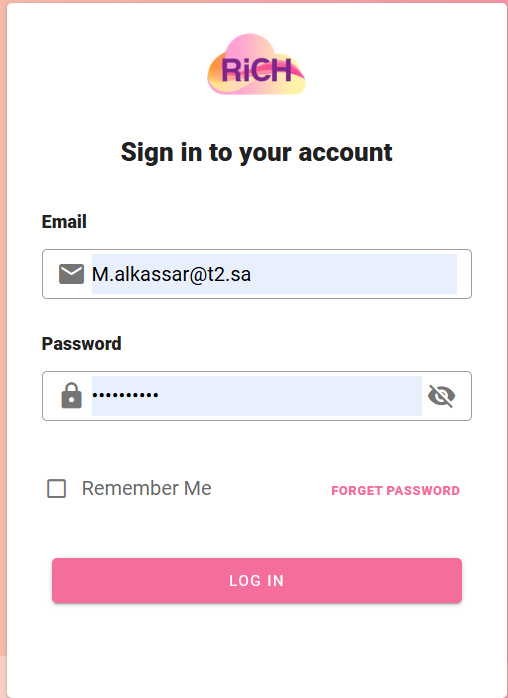
- The user enters their email address in the designated field.
- The user enters their password in the corresponding field.
- The user answers the verification question in the designated field.
If the user wants to log in multiple times and wishes for the browser to remember their email and password, they can select the "Remember Me" option.
Next Step:
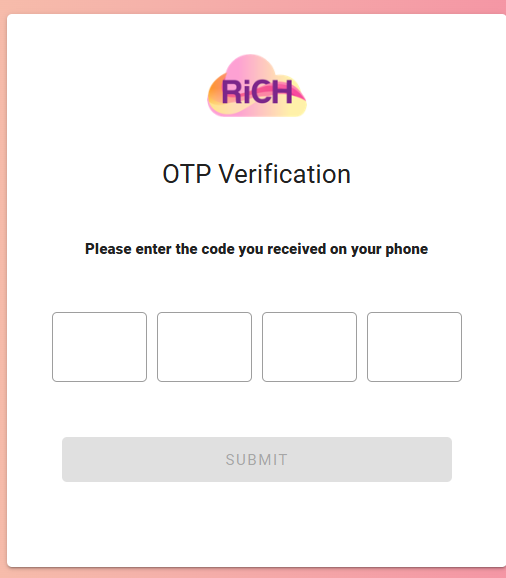
- The system sends a verification code to the user's registered phone number. The user then enters the OTP (One-Time Password) code.
Successfully logged into the platform.